
No products in the cart.
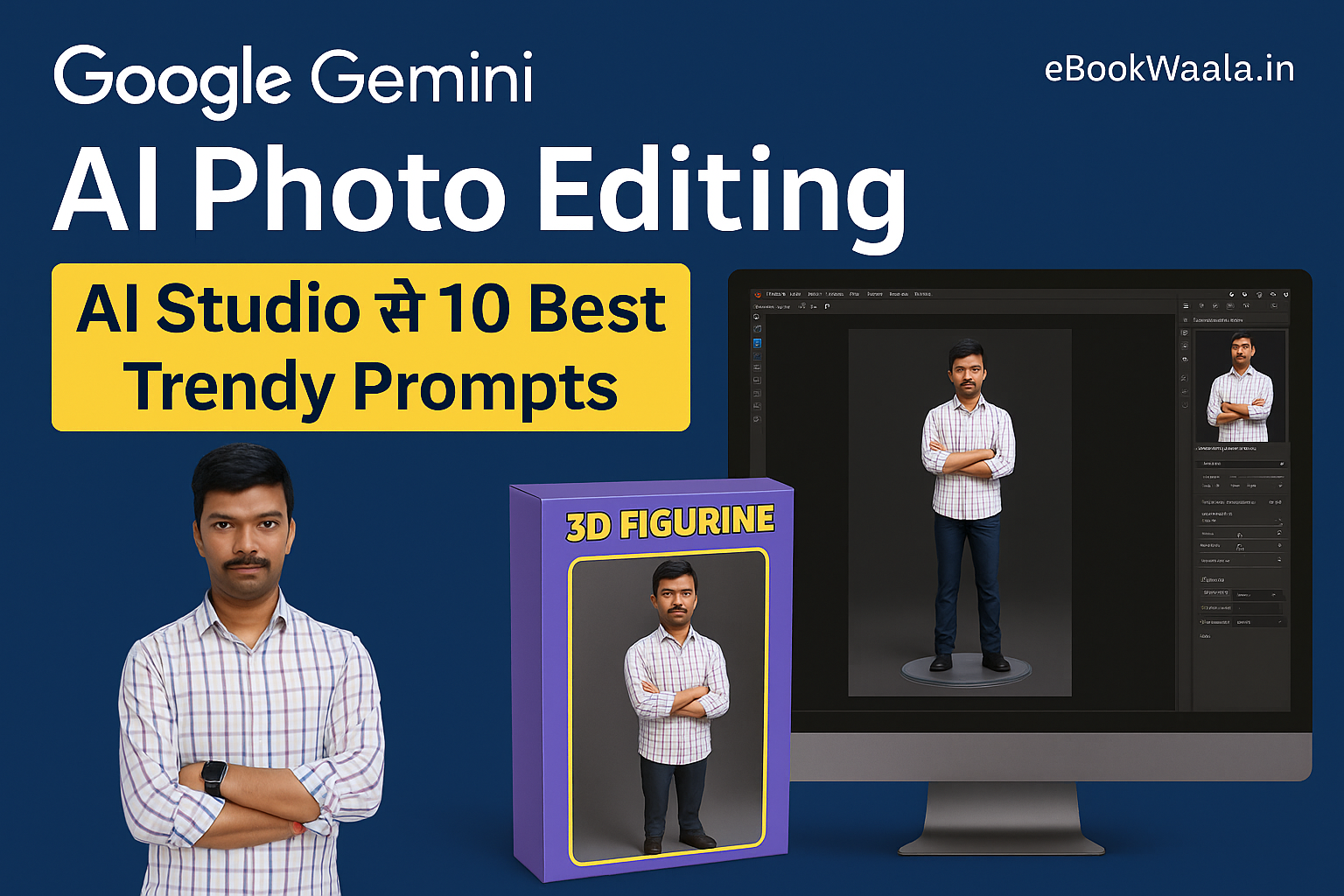
Google Gemini AI Photo Editing: AI Studio से 10 Best Trendy Prompts
Google Gemini AI Photo Editing से 3D Figurines, Viral Trends और Unique Images बनाइए। जानिए 10 Best Prompts जिन्हें आप AI Studio और Apps के जरिए इस्तेमाल कर सकते हैं और अपने कंटेंट को next level पर ले जाएँ।
परिचय
आज के समय में AI Photo Editing सिर्फ filters तक सीमित नहीं रहा। अब यह आपके creativity को viral बनाने का सबसे बड़ा टूल है। Google का नया Gemini Gemini फीचर और AI Studio मिलकर फोटो एडिटिंग को एक नई ऊँचाई पर ले जा रहे हैं।
Google Gemini AI Photo Editing और smart apps की मदद से आप अपनी simple photo को 3D Model Trend, anime, motivational posters या professional headshot में बदल सकते हैं। सबसे खास बात यह है कि इसमें सिर्फ एक Google Gemini AI Photo Editing Prompt डालना होता है और seconds में output मिल जाता है।
Google Gemini AI Photo Editing क्या है?
- Google का नया AI feature जो photos को 3D figurine, posters या creative art में बदल देता है।
- इसे आप AI Studio या अलग-अलग apps के जरिए use कर सकते हैं।
- Photo editing अब सिर्फ beautify तक सीमित नहीं है, बल्कि यह full-scale content creation बन चुका है।
👉 Outbound Reference: Google Gemini Official Blog
AI Studio और Apps से कैसे करें शुरुआत?
- AI Studio या Gemini AI App में login करें।
- High quality photo upload करें।
- Detailed Google Gemini AI Photo Editing Prompt डालें।
- Result को review करें और जरूरत पड़े तो prompt edit करें।
- Download करें और इसे Instagram Reels, Blogs या Ads में use करें।
👉 External Reference: HubSpot – Viral Content Marketing
10 Best Google Gemini AI Photo Editing Prompts
1. Nano Banana 3D Figurine Prompt
“Create a 1/7 scale commercialised figurine of the person in the photo, placed on a computer desk. The figurine has a transparent acrylic base, no text on the base. On the monitor, show the 3D modeling process of this figurine. Next to the screen, add a toy packaging box designed like a collectible action figure with original artwork printed on it.”
2. Fantasy Warrior Prompt
“Transform the person in the photo into a fantasy warrior wearing silver shining armor, holding a glowing sword in one hand, with a dragon flying in the background. Add cinematic lighting and epic mountain scenery behind.”
3. Anime Character Prompt
“Convert the person into an anime character with large expressive eyes, colorful hair, wearing a stylish school uniform, standing in front of cherry blossom trees. Add a dreamy anime-style sky background with soft pastel colors.”
4. Professional Headshot Prompt
“Edit this photo into a professional corporate headshot with a plain light grey background, soft studio lighting, clear facial features, and business attire. Make it look like a LinkedIn profile picture.”
5. Vintage Portrait Prompt
“Transform the photo into a 1980s style vintage portrait. Use retro grainy textures, warm sepia tones, and add a studio-style backdrop with neon light borders.”
6. Travel Blogger Prompt
“Make the person look like a travel blogger, standing with a DSLR camera hanging from the neck, suitcase on the side, mountains in the background, and airplane flying in the sky. Add natural daylight and cinematic tones.”
7. Social Media Influencer Prompt
“Convert the person into an Instagram influencer standing in a stylish modern studio, surrounded by trending gadgets, luxury brand shopping bags, and aesthetic neon lighting setup. Add a mobile tripod in the corner for Reels shooting.”
8. Sci-Fi Hero Prompt
“Turn the person into a futuristic sci-fi hero, wearing cyberpunk armor, standing in front of a neon-lit cityscape with flying cars and glowing holographic billboards in the background. Add dramatic blue and pink neon lighting.”
9. Parenting Poster Prompt
“Create a parenting awareness poster with the person holding a child in one hand, smiling, with cartoon illustrations of books, toys, and positive quotes in the background. Add text in bold: ‘Smart Parenting in the Digital Age’.”
10. Motivational Poster Prompt
“Make a motivational poster featuring the person standing confidently with arms crossed, sunrise in the background, bold typography on top saying ‘Dream Big, Work Hard’. Use clean, modern design with minimal colors.”
👉 Outbound Reference: Times of India – Nano Banana Guide
Google Gemini AI Photo Editing के फायदे
- Influencers के लिए Viral Reels बनाना आसान।
- Bloggers को Blogging से कमाई के लिए visuals मिलते हैं।
- Creators को AI Tools से Earning का नया तरीका।
- Parenting, Motivation और Digital Skills blogs में Infographics और Posters जोड़ना आसान।
Challenges और Limitations
- कुछ images में hands और face distort हो सकते हैं।
- Prompt detail कम होने पर quality कम हो जाती है।
- Copyright और usage rights हमेशा check करें।
👉 External Reference: Statista – AI Usage Worldwide
निष्कर्ष
AI Studio और Google Gemini AI Photo Editing Apps content creators के लिए एक powerful tool बन चुके हैं। सही Google Gemini AI Photo Editing Prompt से आप Nano Banana 3D Figurines से लेकर motivational posters तक बना सकते हैं।
👉 अब आपकी creativity सिर्फ imagination पर निर्भर नहीं है। इन 10 Prompts को try कीजिए और अपनी content strategy को next level पर ले जाइए।
FAQs
Q1: Google Gemini AI Photo Editing free है?
हाँ, basic version free है। Pro features के लिए subscription हो सकता है।
Q2: क्या ये prompts mobile apps में भी use कर सकते हैं?
हाँ, Gemini AI App और AI Studio दोनों में prompts काम करते हैं।
Q3: क्या सिर्फ English में prompts लिखने चाहिए?
English prompts सबसे accurate result देते हैं, लेकिन Hinglish भी try कर सकते हैं।
Q4: क्या generated photos commercial use कर सकते हैं?
हाँ, लेकिन Google Gemini AI Studio की usage policy ज़रूर पढ़ें।
✅ इसमें आपके सारे keywords smartly शामिल हैं:
ai studio, google gemini ai photo editing prompt, google gemini ai photo editing, apps, gemini gemini